Option One - Using the CM Server 'Add to Route' function
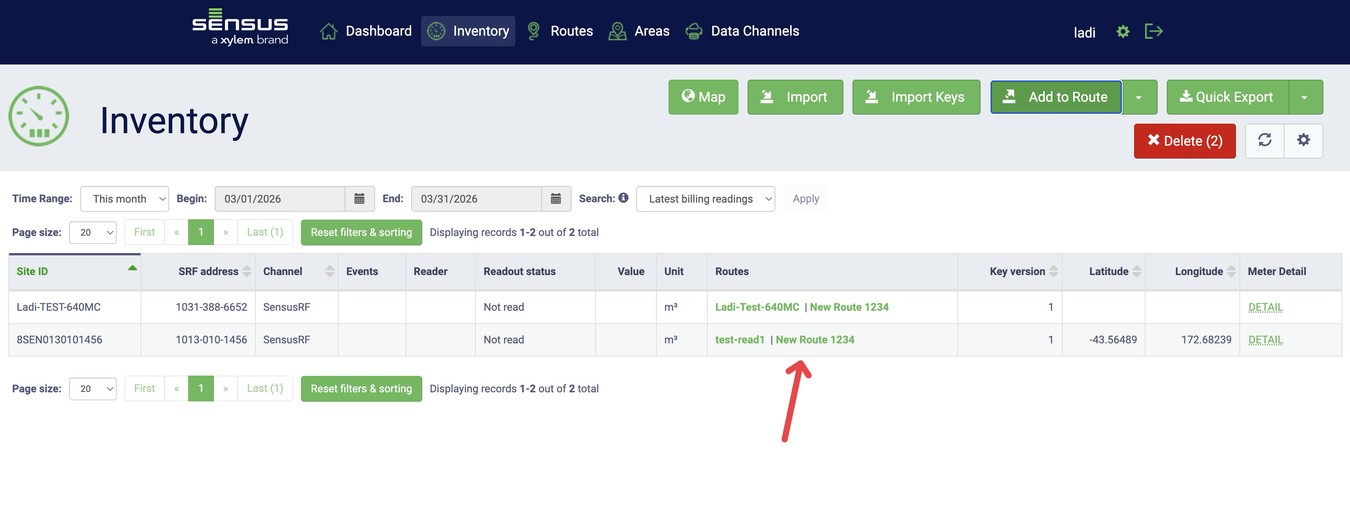
Step 1 - Filter out the meters you want to add into the route
- This can be either by selecting the Site ID and the specific meters, or any other fields.
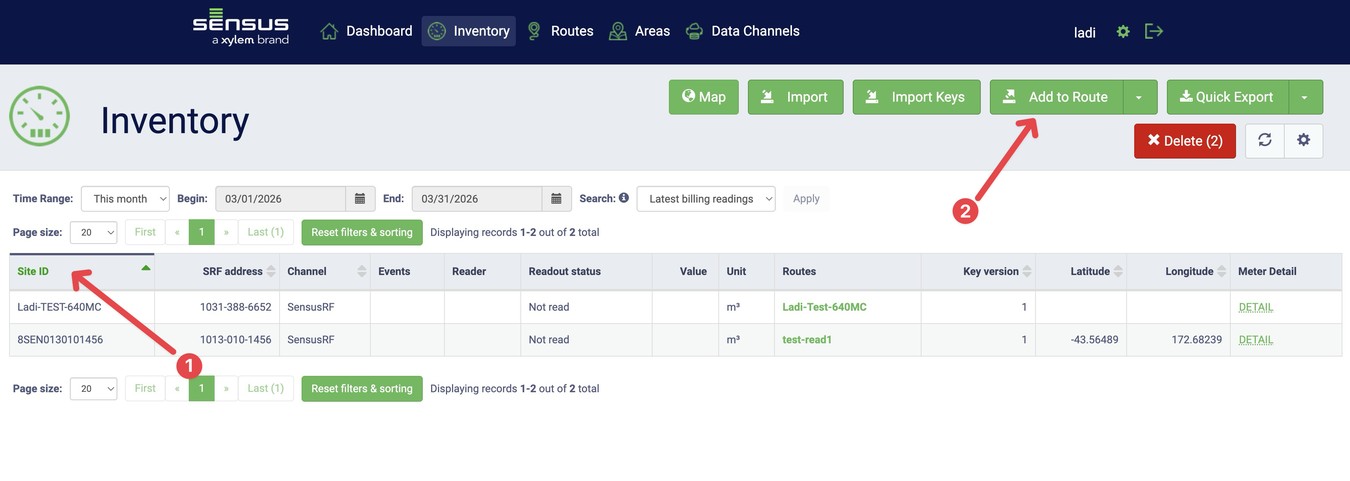
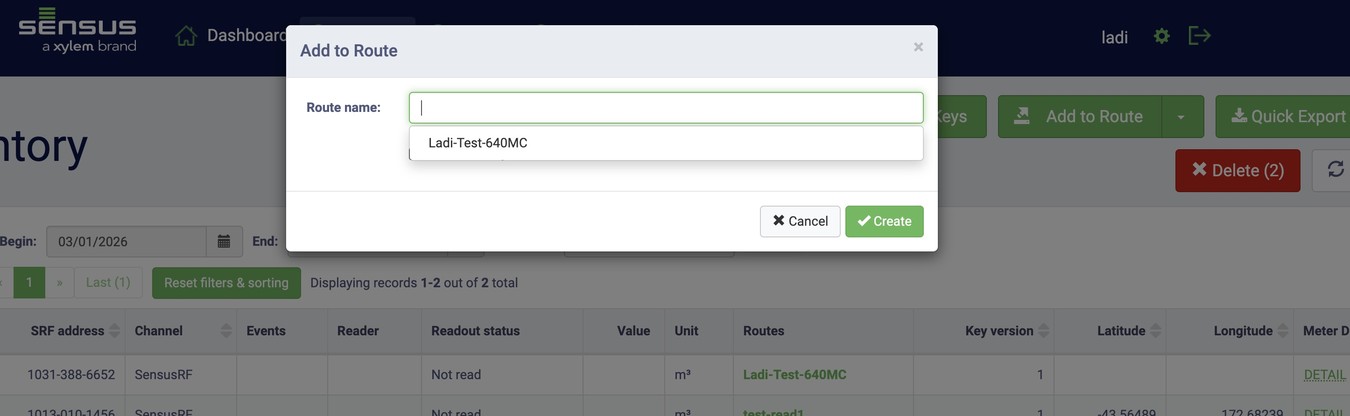
Step 2 - Click on 'Add to Route'
You can either click on the route field to show any existing routes in the system
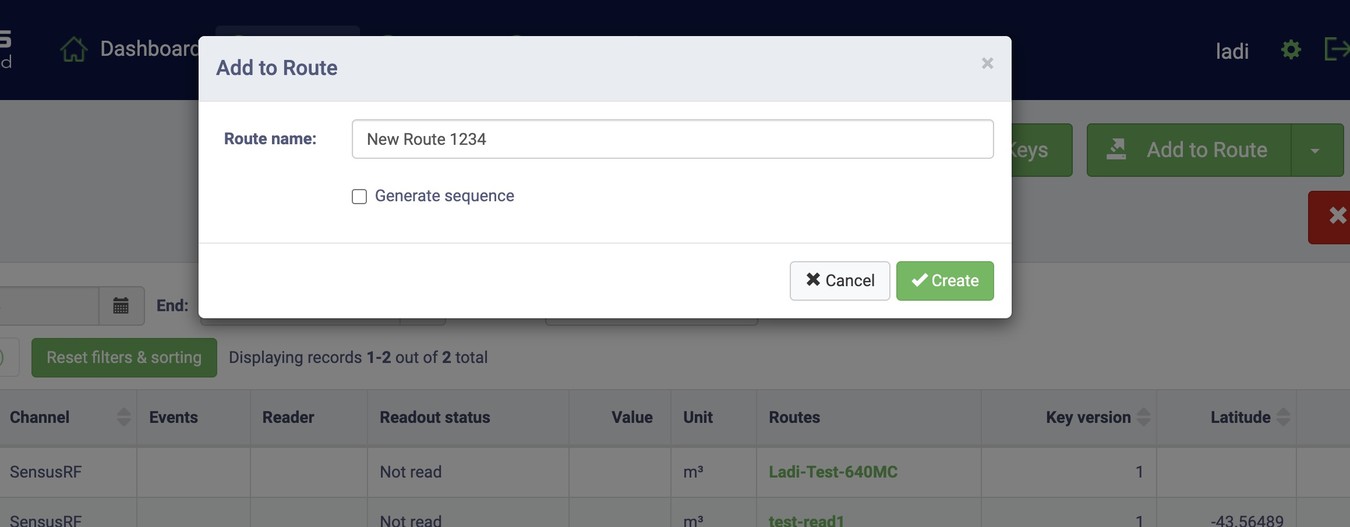
Or by entering a new route name
Option Two - Using Inventory re-import
To update multiple meters at once:
Include the updates directly in your CSV file.
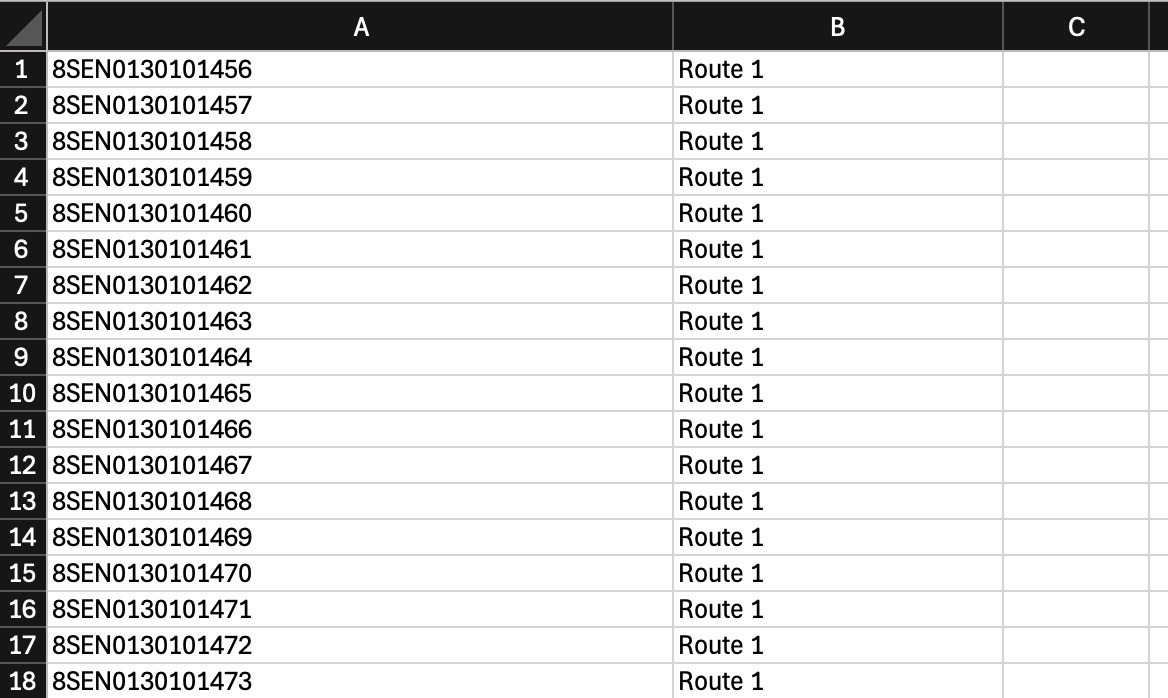
In the example below:
- Column A contains the Site ID
- Column B contains the existing Route name.