

| Brand: | Sensus |
| Category: | Metering, Software & Cloud Apps |
| Compatible Meters: | All Sensus RF Meters & Manual / Third Party Meters (Manual data entry only) |
| Compatibility: | Android version 10.0 and higher |
| Other Applications: | - Diavaso Configuration & Service - Diavaso - App Suite for Remote Meter Reading with SensusRF |
Product Descriptions
Diavaso – Mobile Suite for SensusRF Meter Reading
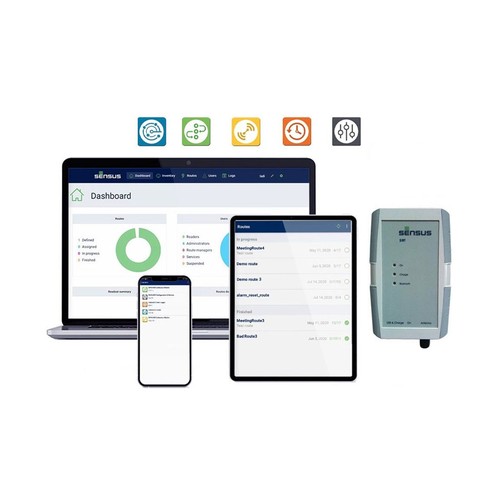
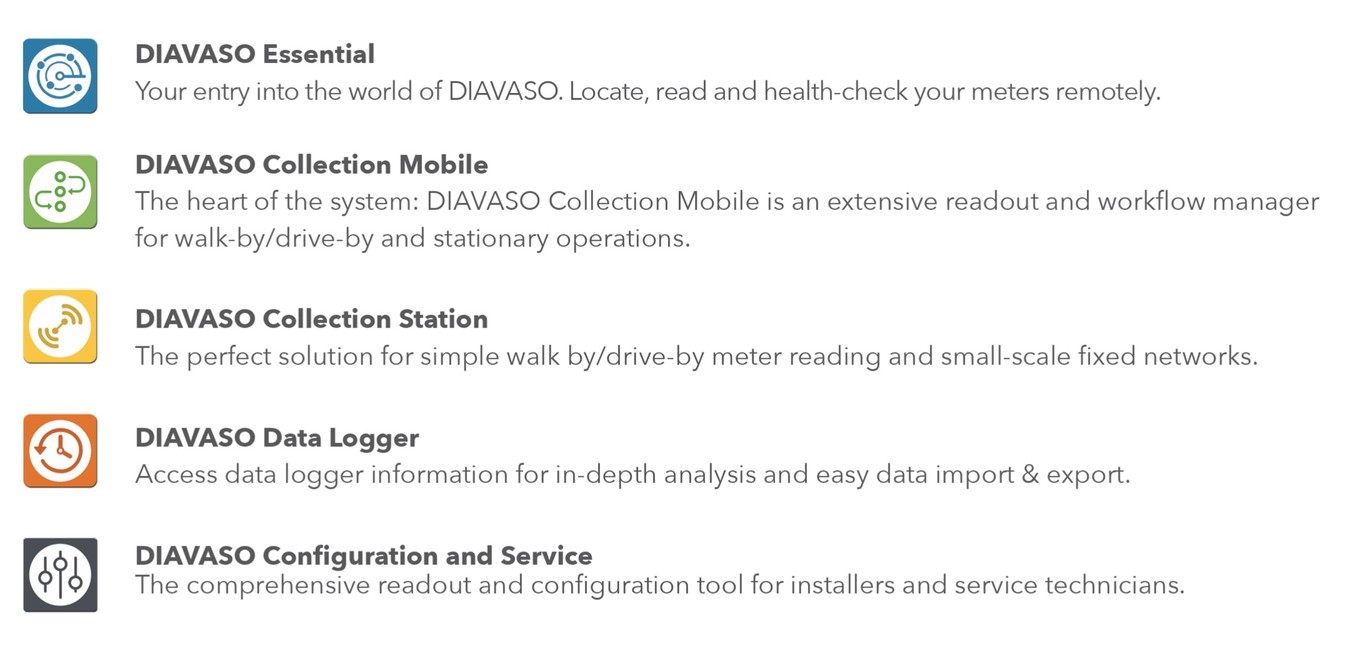
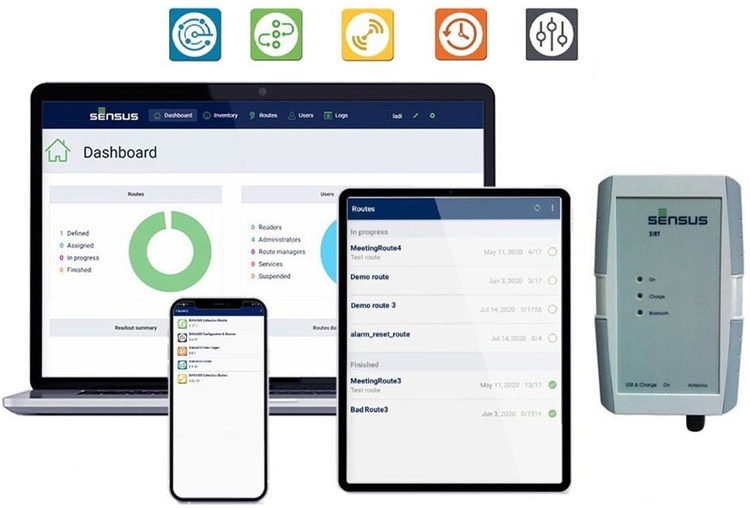
Diavaso is a modular suite of mobile applications designed for remote meter reading, configuration, and maintenance using Android smartphones or tablets. It supports both walk-by/drive-by (AMR) and small-scale fixed network (AMR+) applications.
The suite consists of five apps that can be used individually or together, depending on your operational needs:
Diavaso - Collection Mobile App
Efficient Operations
Streamline your daily tasks by downloading assigned routes directly to your Android device. The app provides a clear list of meters to visit, allowing you to filter by status and check off completed stops as you work.
- Route Sync: Download new routes from the server and upload completed readings whenever a connection is available.
- Smart Filtering: Sort meters by address, customer name, or reading status to find your next stop quickly.
- Offline Access: Log in once to download your data, then work entirely offline until you are ready to sync back to the office.
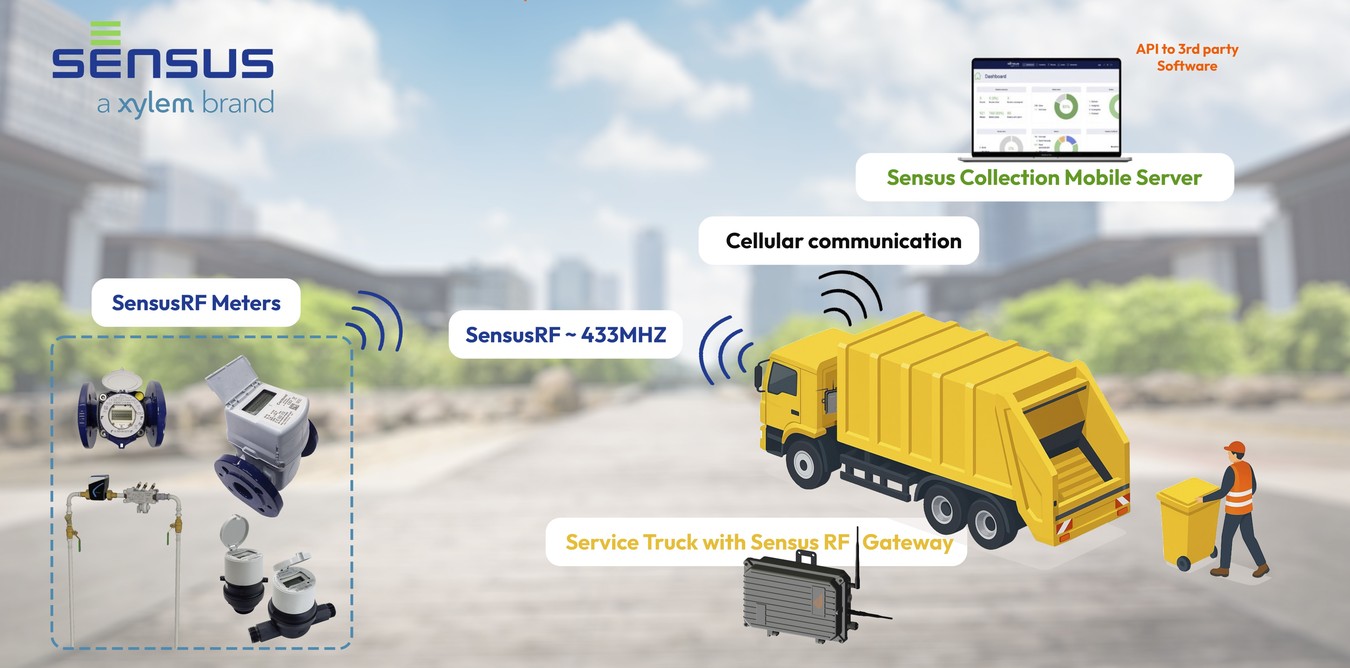
Sensus RF-Gateway Data Collection
Flexible Reading Methods
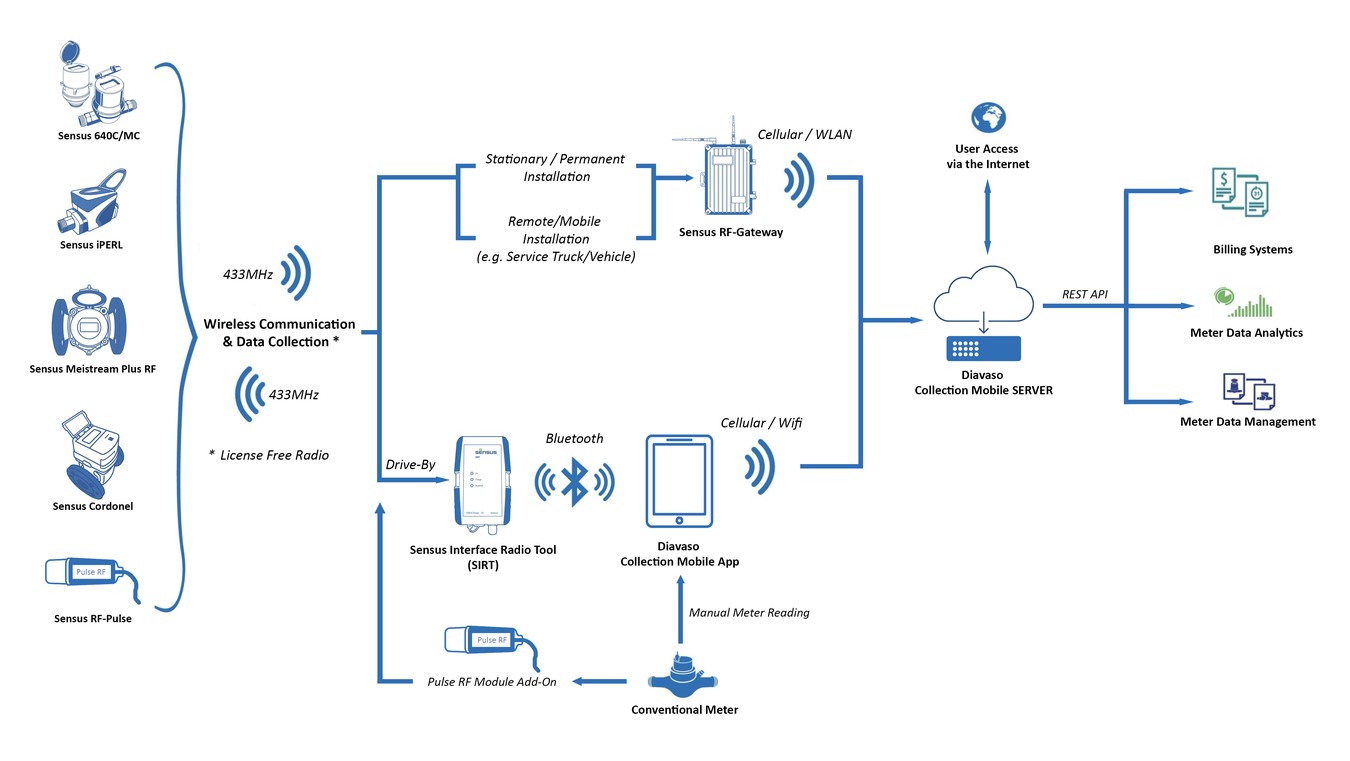
Collect data from a wide variety of water meters using the method that works best for the situation. Whether you are walking, driving, or reading manually, the Collection Mobile app supports your workflow.
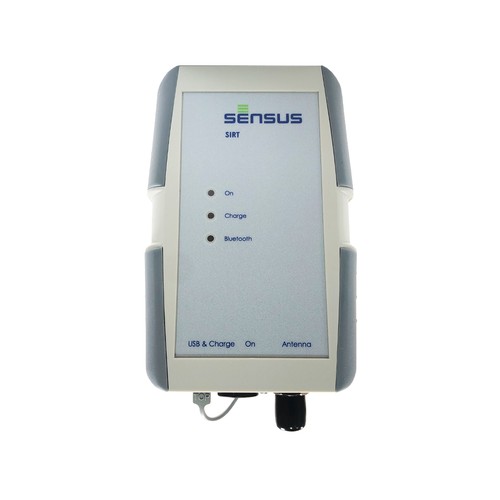
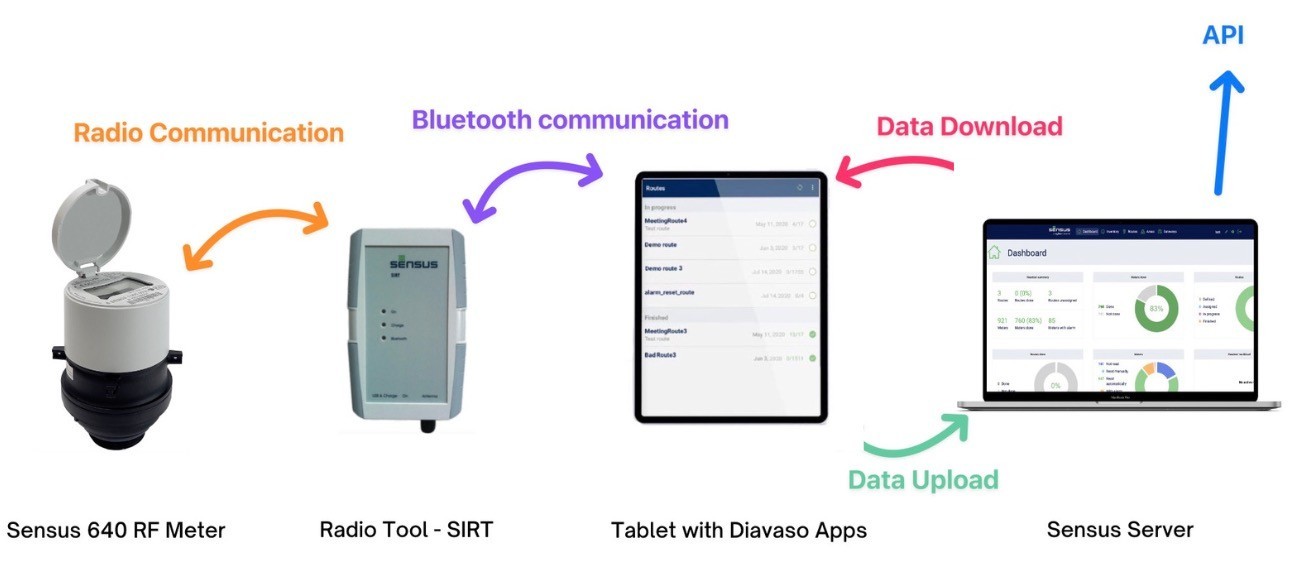
- Drive-By Collection: Connect to a Sensus Interface Radio Tool (SIRT) via Bluetooth to automatically read SensusRF meters in range.
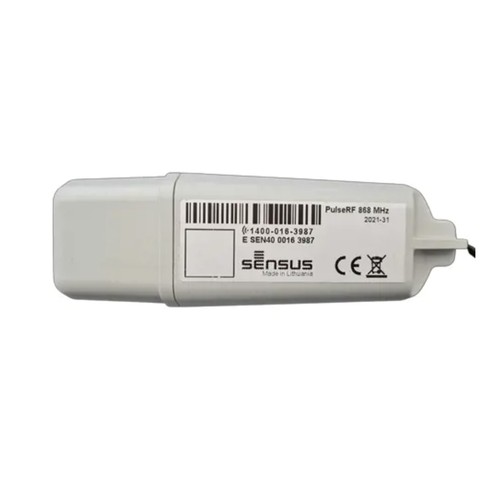
- Automatic Collection: Using Sensus RF-Gateways
- Manual Entry: Enter visual reads directly into the app with built-in checks to ensure values are within expected ranges.
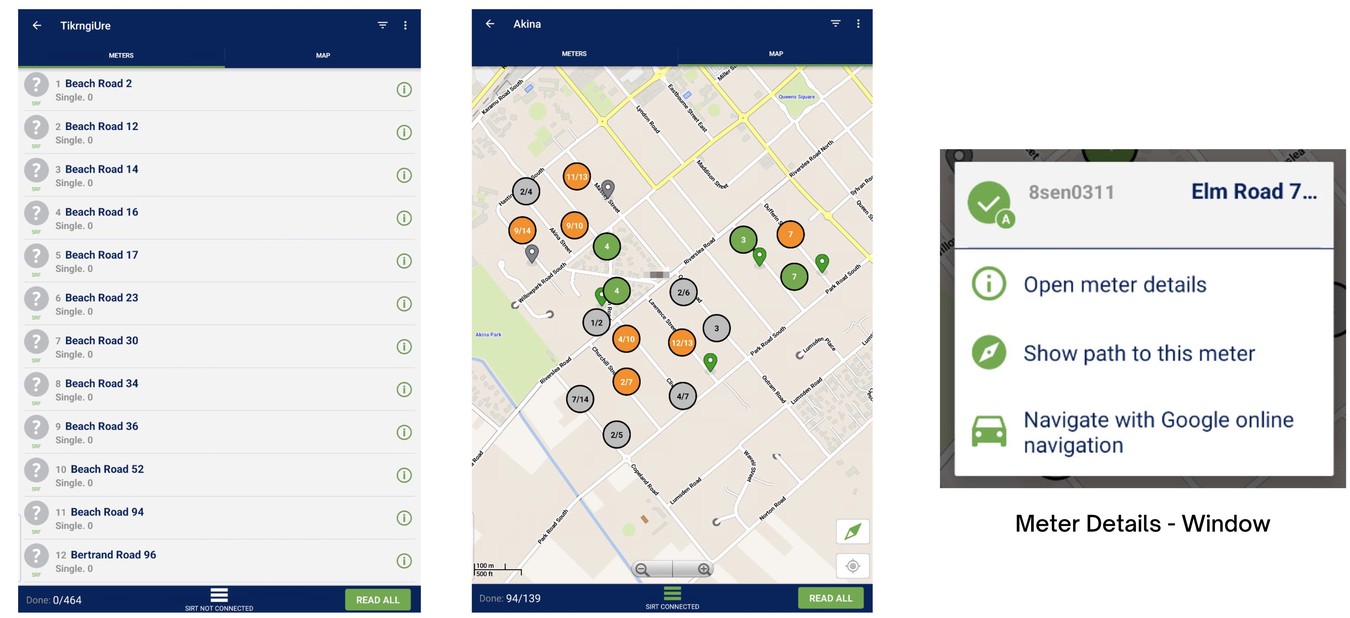
On-Site Verification and Navigation
Ensure accuracy and find locations easily with built-in mapping and documentation tools. You can record exactly where and when a reading took place.
- GPS Tracking: Record the GPS location of the reader during manual readouts to verify the service location.
- Photo Evidence: Take photos of the meter or installation to document damage, obstacles, or reading values.
- Map Navigation: View your route on a map and launch Google Maps navigation directly from the app to find specific meters.
Diavaso - Collection Mobile Server
Centralized Workflow Management
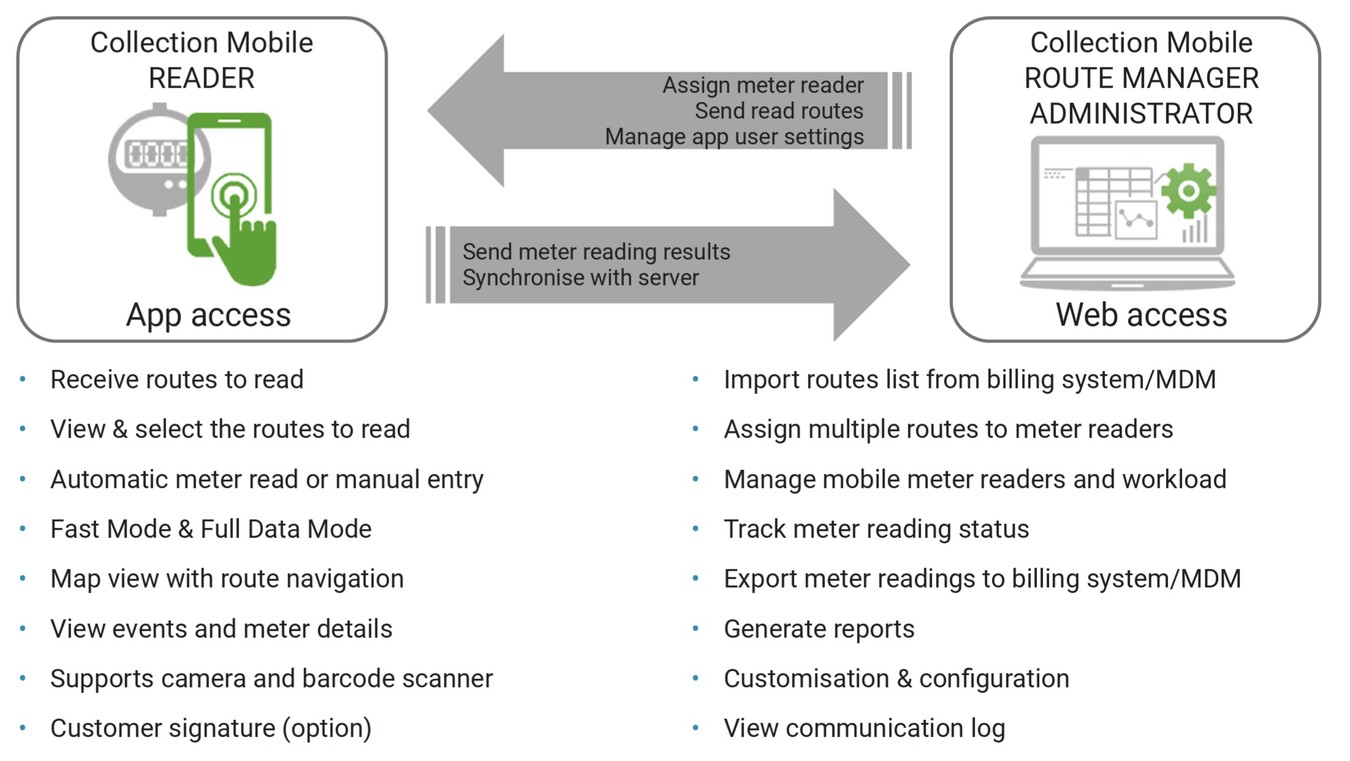
Control every stage of your meter reading operations from a single web dashboard. The DIAVASO Collection Mobile web client allows administrators and route managers to direct field operations, assign workloads, and manage meter data.
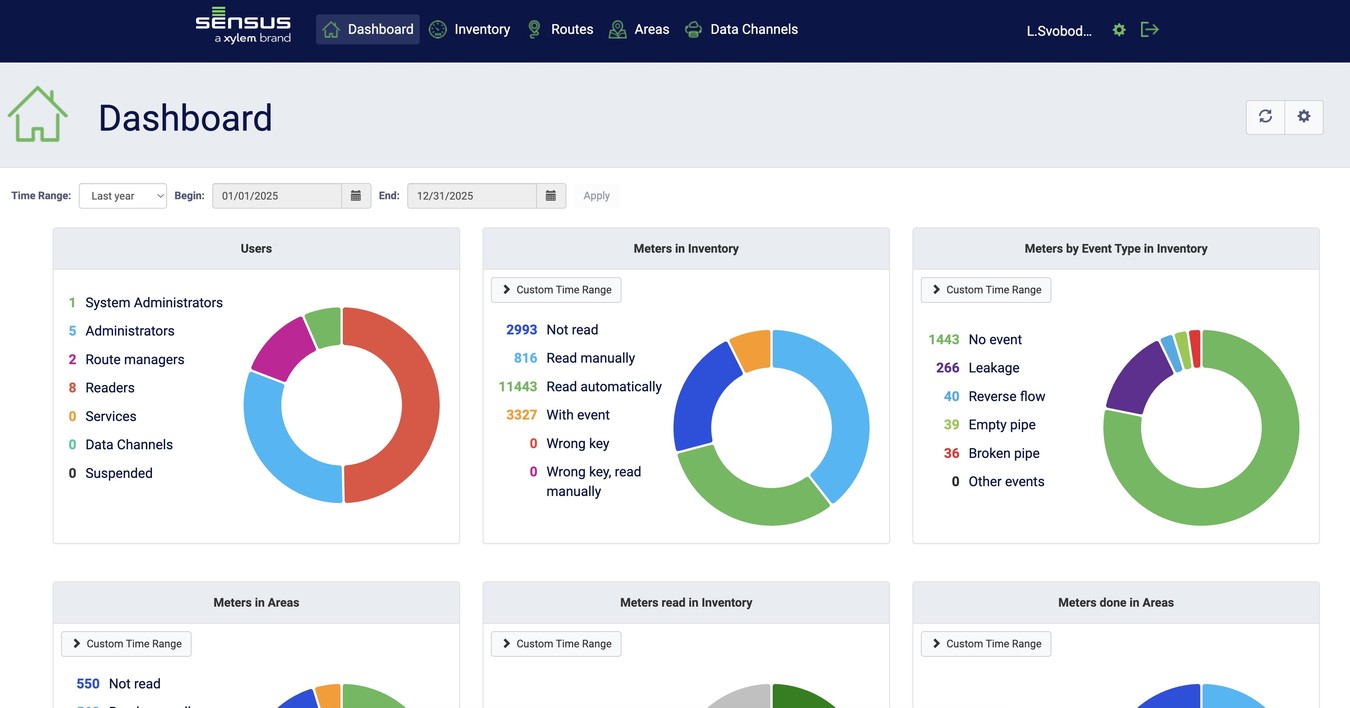
- Dashboard Overview: Get immediate visibility into system performance with customizable graphs tracking route completion, meter readout progress, event alerts, and reader workloads.
- Inventory Management: Centralize meter records and historical readouts in one database. Import meter data via CSV, review detailed billing and DataLogger logs (including flow, pressure, and temperature metrics), view meters on interactive maps, and export data using custom templates or quick exports.
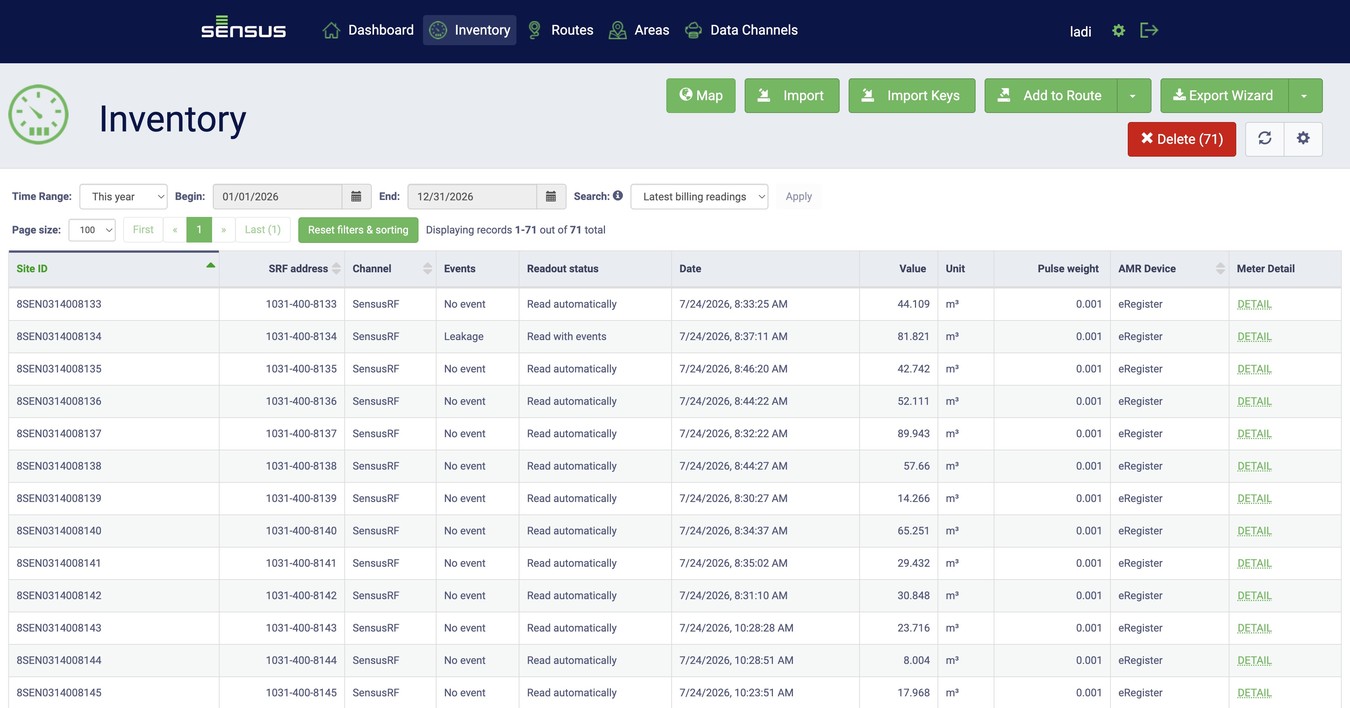
Collection Mobile Server - Inventory Overview
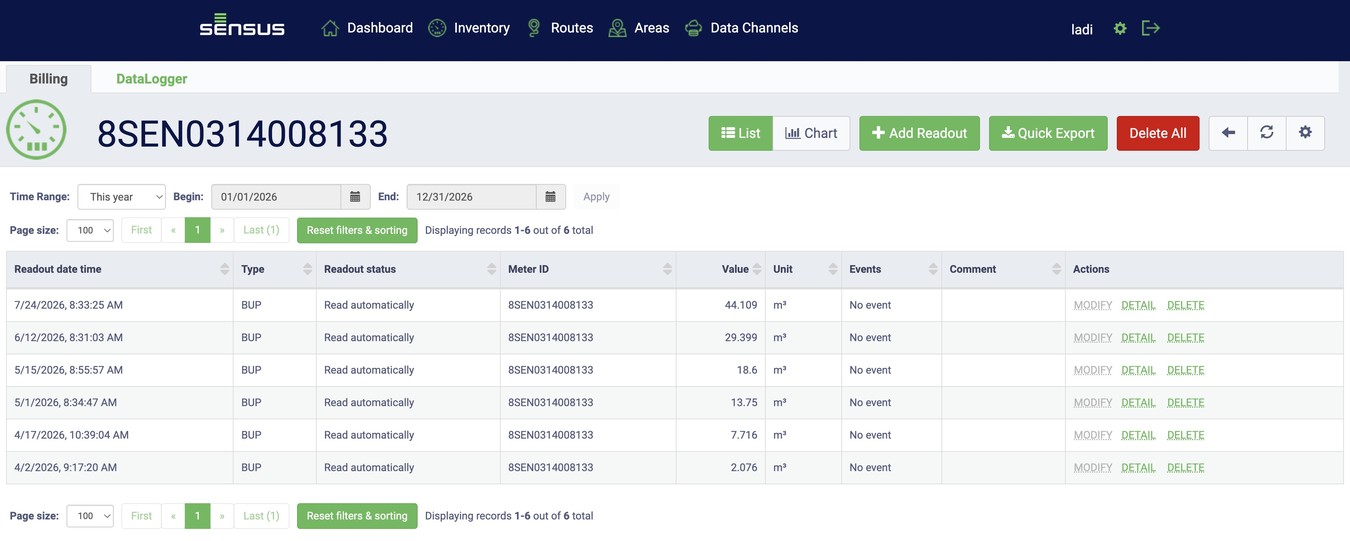
Collection Mobile Server - Meter Reading History - List View
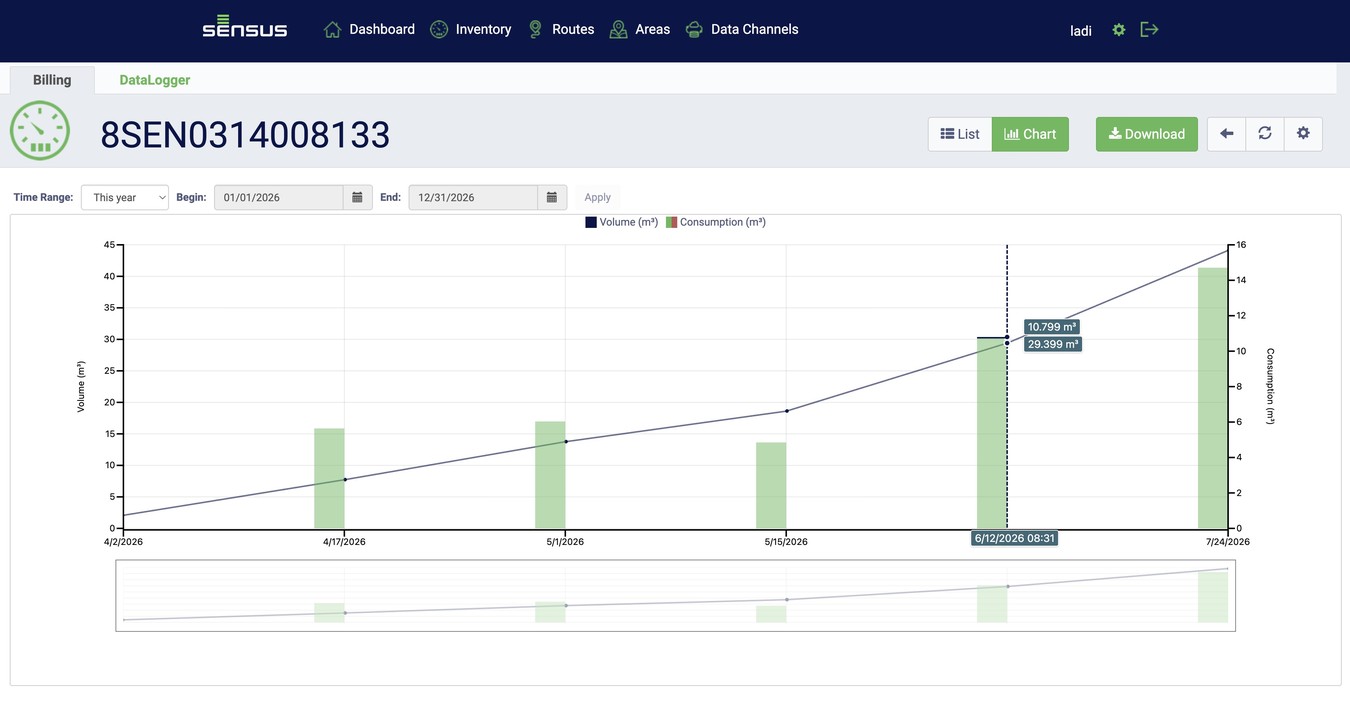
Collection Mobile Server - Meter Reading History - Graph View
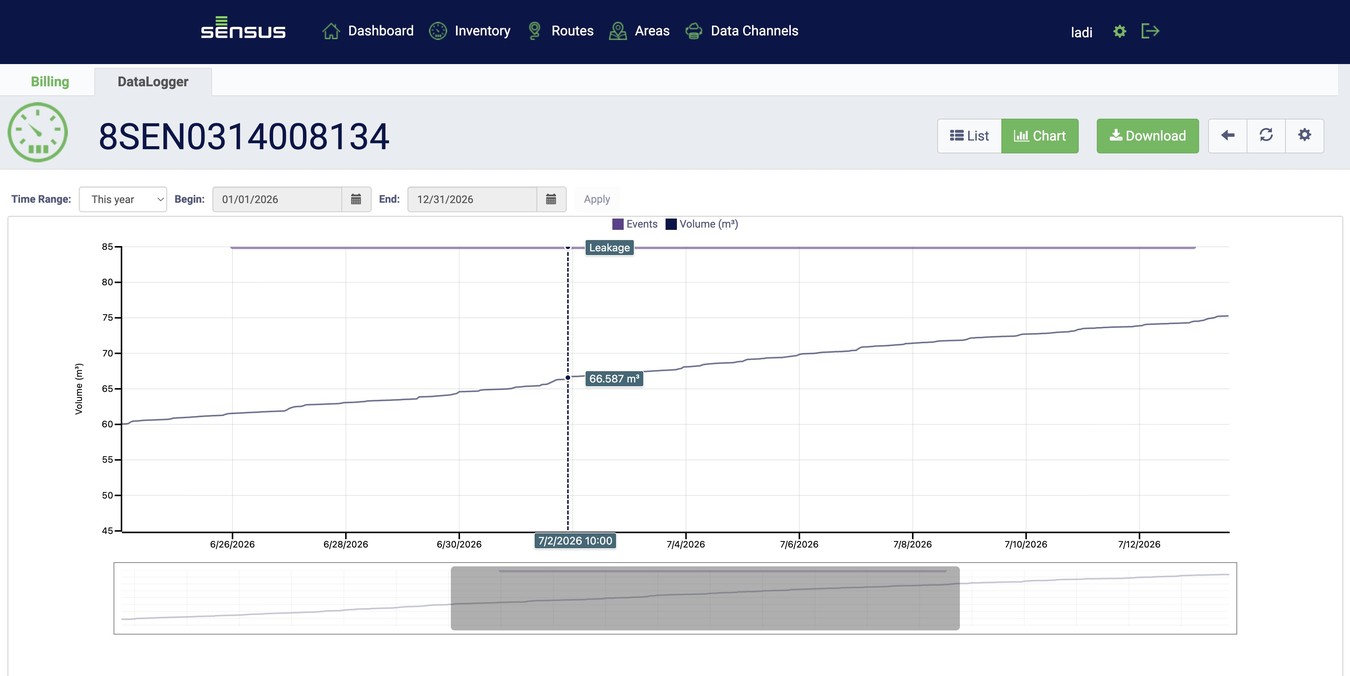
Collection Mobile Server - Meter Reading History in 1h interval (Data Logger) with a Leak Alarm - Graph View
- Route Assignment: Group inventory into routes or geographic areas. Assign work to field readers (up to 10 routes at once) with scheduled deadlines, comments, and field rules, such as requiring customer signatures, GPS capture, or photos for out-of-range manual reads.
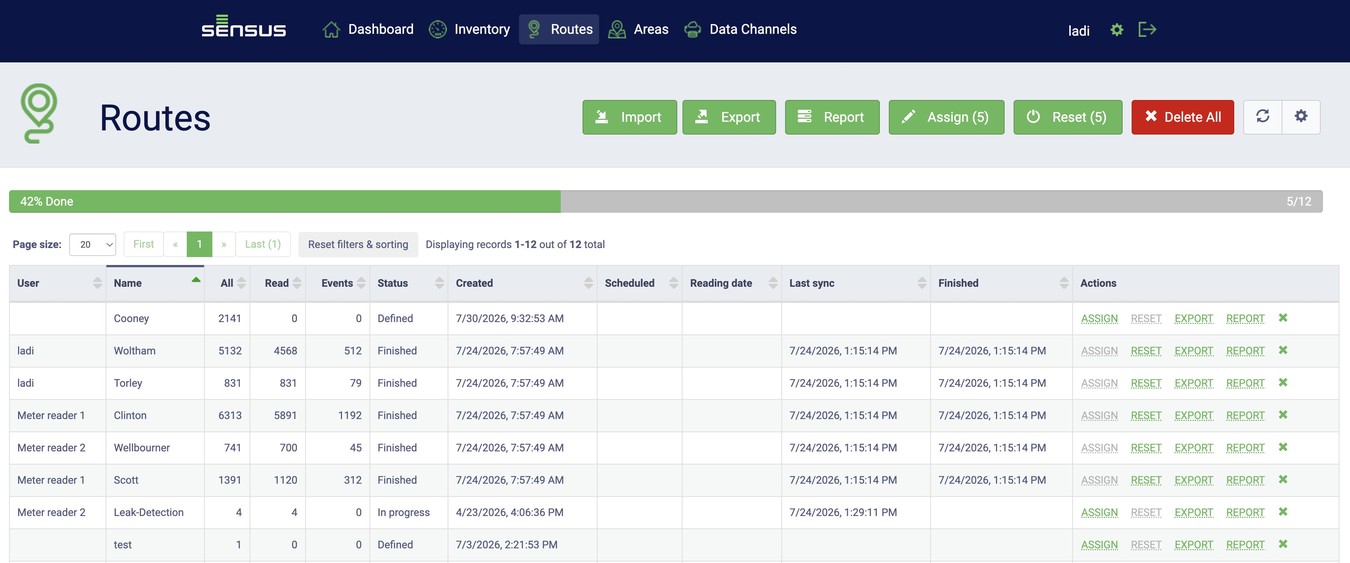
Collection Mobile Server - Route Management & Route History
- User Control: Manage user accounts, set password policies, and assign role-based access for Administrators, Route Managers, and Readers. Secure access with Two-Factor Authentication (2FA) or Azure AD integration.
Data Processing and Reporting
Handle large amounts of metering data with powerful import and export tools. You can bring data into the system, organize it, and generate detailed reports for billing and analysis.
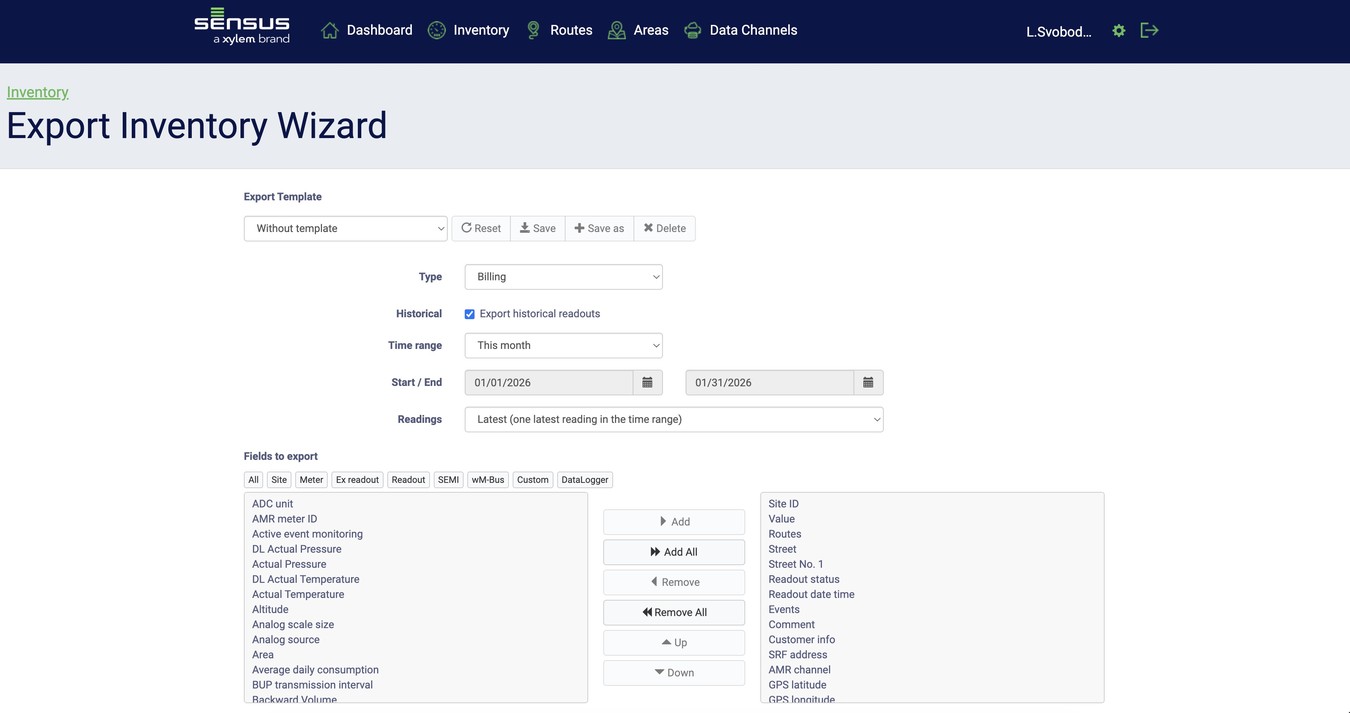
- Simple Imports: Upload meter lists, routes, and encryption keys using standard CSV files with a helpful import wizard.
- Flexible Exports: Export reading data to CSV or Excel files for billing systems, including historical logs and fixed date readings.
- Detailed Reporting: Generate reports on route progress, consumption, success rates, and meters with specific error flags or events.
Security and Data Protection
All sensitive data stored and transmitted using Diavaso are encrypted and protected against unauthorized access. There are no plain data sets stored on the tablet that may be accessible. Please refer to the manuals of each Diavaso application for further details.
Sensus - Diavaso - App Suite
| Item | Description |
|---|---|
RF - ESSENTIAL |
Finder: Location Finder, Remote On-Demand Meter Read, Check Alarm Status. Send to Server. |
RF - CONFIG |
Configuration: Location Finder, Remote On-Demand Meter Read, Check Alarm Status. Send to server. Check and Reset Parameters. |
RF - DATALOG |
Data Logger: Download Logged Files and Fixed Rate Reading, Configure Settings, and Send to Server. |
RF - CS |
Collection Station: Automatic route read for drive-by meter reading or automated meter reading in small-scale fixed networks. |
RF - CM CLOUD |
Collection Mobile Option: Cloud Hosted - Sensus Server (500 - 100,000 meters) |
RF - COLLECT |
Collection Mobile Option: Software License for Self Hosting |